Rust Private cover artPRIVATE
  • PlatformWindows PC
  • DeliveryKey by email
  • CheckoutSecure payment

Rust Private cheat.

UpdatingUpdated 3 days agoCheat status

Our Rust cheat. Check its status before wipe, then pick your key.

Demo build

Windows PC

Grab the demo archive and try it before anything else. No key and no payment.

Free demo build for this product.
Questions before you buy?Ask about compatibility, setup or access.
Live preview

See Rust Private in action.

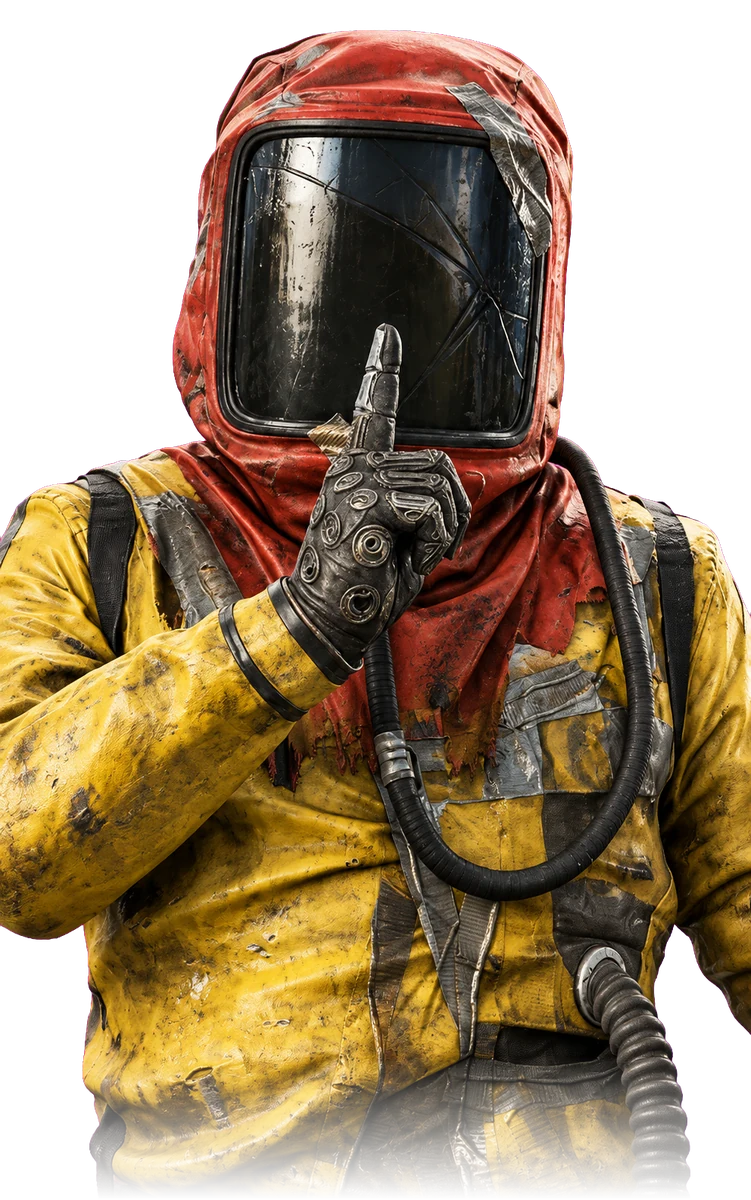
Hazmat from Rust, previewing the Rust Private cheat overlay

Interactive preview. Move over the stage to aim; overlays vary by cheat.

Full feature list

95 features in Rust Private, grouped by what they do.

Overview3

  • Aimbot
  • ESP
  • Exploits

System Requirements & Security4

  • Full support for Windows 10 & 11 (All Versions)
  • Compatible with both AMD and Intel processors
  • 100% Undetected by Easy Anti-Cheat
  • HVCI: On/Off Supported

Aimbot6

  • Aimbot Toggle — Enable/disable with custom keybind
  • Target Prediction — Anticipate movement for moving players
  • Ignore Sleepers — Skip players who are sleeping
  • Skip Teammates — Prevent locking onto team members
  • Humanization — Simulate natural, human-like aim movement
  • Draw FOV — Visual aim radius indicator with color picker

Humanization Settings (When Enabled)4

  • Strength — Humanization intensity (0.0 – 2.0)
  • Curve — Aim curve adjustment (1.0 – 3.0)
  • Smooth Var — Smooth variation (0.0 – 0.6)
  • Reaction — Reaction time in milliseconds (0 – 250ms)

Aimbot Configuration6

  • FOV — Field of view (10 – 500)
  • Smooth X — Horizontal smoothing (1 – 50)
  • Smooth Y — Vertical smoothing (1 – 50)
  • Max Distance — Maximum target distance (1 – 600m)
  • Aim Mode — Choose between Hitbox or Closest target
  • Hitbox — Target Head, Neck, Chest, or Pelvis

Silent Aim5

  • Silent Aim Toggle — Enable/disable with custom keybind
  • Ignore Sleepers — Skip sleeping players
  • Skip Teammates — Avoid targeting team members
  • Draw FOV — Visual field indicator with color picker
  • Key Mode — Choose Hold or Toggle activation

Silent Aim Configuration4

  • FOV — Field of view (10 – 500)
  • Max Distance — Maximum target distance (1 – 600m)
  • Aim Mode — Choose between Hitbox or Closest
  • Hitbox — Target Head, Neck, Chest, or Pelvis

Visual Overlays7

  • Box ESP — Player bounding box with color picker
  • Filled Boxes — Solid box overlay with color picker
  • Skeleton ESP — Player skeleton rendering with color picker
  • Weapon ESP — Display equipped weapon with color picker
  • Distance ESP — Show distance to players with color picker
  • Username ESP — Display player names with color picker
  • Inventory ESP — Show player inventory contents

Visual Configuration8

  • Outlined — Enable outlines on ESP elements
  • Show Sleepers — Display sleeping players
  • Teammate ESP — Show team members
  • Max Distance — ESP visibility range (1 – 600m)
  • Box Type — Choose 2D, Corner, or 3D boxes
  • Box Thickness — Box line thickness (1 – 5)
  • Skeleton Thickness — Skeleton line thickness (1 – 5)
  • Outline Thickness — Outline thickness (1 – 5)

Radar System5

  • Enable Radar — Toggle the radar display
  • Show Sleepers — Display sleeping players on radar
  • Show Distance — Show distance on radar markers
  • Attack 80m Color — Color for players beyond 80 meters
  • Sleeper Color — Color for sleeping players

World ESP – Resources11

  • Stone Ore — Visual indicator with color picker
  • Sulfur Ore — Visual indicator with color picker
  • Metal Ore — Visual indicator with color picker
  • Hitspot — Mining hit indicators with color picker
  • Stone Collectable — Visual indicator with color picker
  • Sulfur Collectable — Visual indicator with color picker
  • Metal Collectable — Visual indicator with color picker
  • Hemp — Visual indicator with color picker

World ESP – Loot6

  • Junkpile — Visual indicator with color picker
  • Crates — Visual indicator with color picker
  • Supply Drop — Visual indicator with color picker
  • Barrels — Visual indicator with color picker
  • Snack — Visual indicator with color picker
  • Loot Distance — Loot render distance (50 – 1000m)

World ESP – Combat6

  • Tool Cupboard — Visual indicator with color picker
  • Auto Turret — Visual indicator with color picker
  • Flame Turret — Visual indicator with color picker
  • Shotgun Trap — Visual indicator with color picker
  • Patrol Heli — Visual indicator with color picker
  • Combat Distance — Combat entity render distance (50 – 1000m)

World ESP – Animals12

  • Bear — Visual indicator with color picker
  • Polar Bear — Visual indicator with color picker
  • Boar — Visual indicator with color picker
  • Wolf — Visual indicator with color picker
  • Stag — Visual indicator with color picker
  • Chicken — Visual indicator with color picker
  • Zombie — Visual indicator with color picker
  • Crocodile — Visual indicator with color picker

World ESP – Vehicles3

  • Horse — Visual indicator with color picker
  • Motorbike — Visual indicator with color picker
  • Vehicle Distance — Vehicle render distance (50 – 1000m)

Miscellaneous2

  • Draw Watermark — Toggle the cheat watermark
  • Draw FPS — Display the FPS counter

Configuration Management3

  • Save — Save current settings to a config file
  • Load — Load settings from a config file
  • Delete — Delete a saved config file

Requirements

  • Windows 10 or 11 (all versions)
  • AMD or Intel processor
  • Runs on Easy Anti-Cheat and BattlEye servers

Setup support

Every order includes setup steps. If something doesn’t look right, the setup notes walk you through it.